The fan that feels you.
ThermoSense watches body heat from a thermal camera inside the fan and sets its own speed for the people in the room, not for a number on a thermostat.
Laptop recommended for the live simulator
- 8 × 8
- thermal pixels, swept into a 20 × 20 room map
- 0–100 %
- continuous Auto speed, held steady
- 5:00
- after you leave, then it switches itself off
- ~3 s
- to cut power to a jammed rotor
Features · 15 seconds each
See what it does, one feature at a time.
Each clip runs the real firmware logic against a simulated room. Hover to preview, click to watch with controls.
Live simulator
Try it yourself.
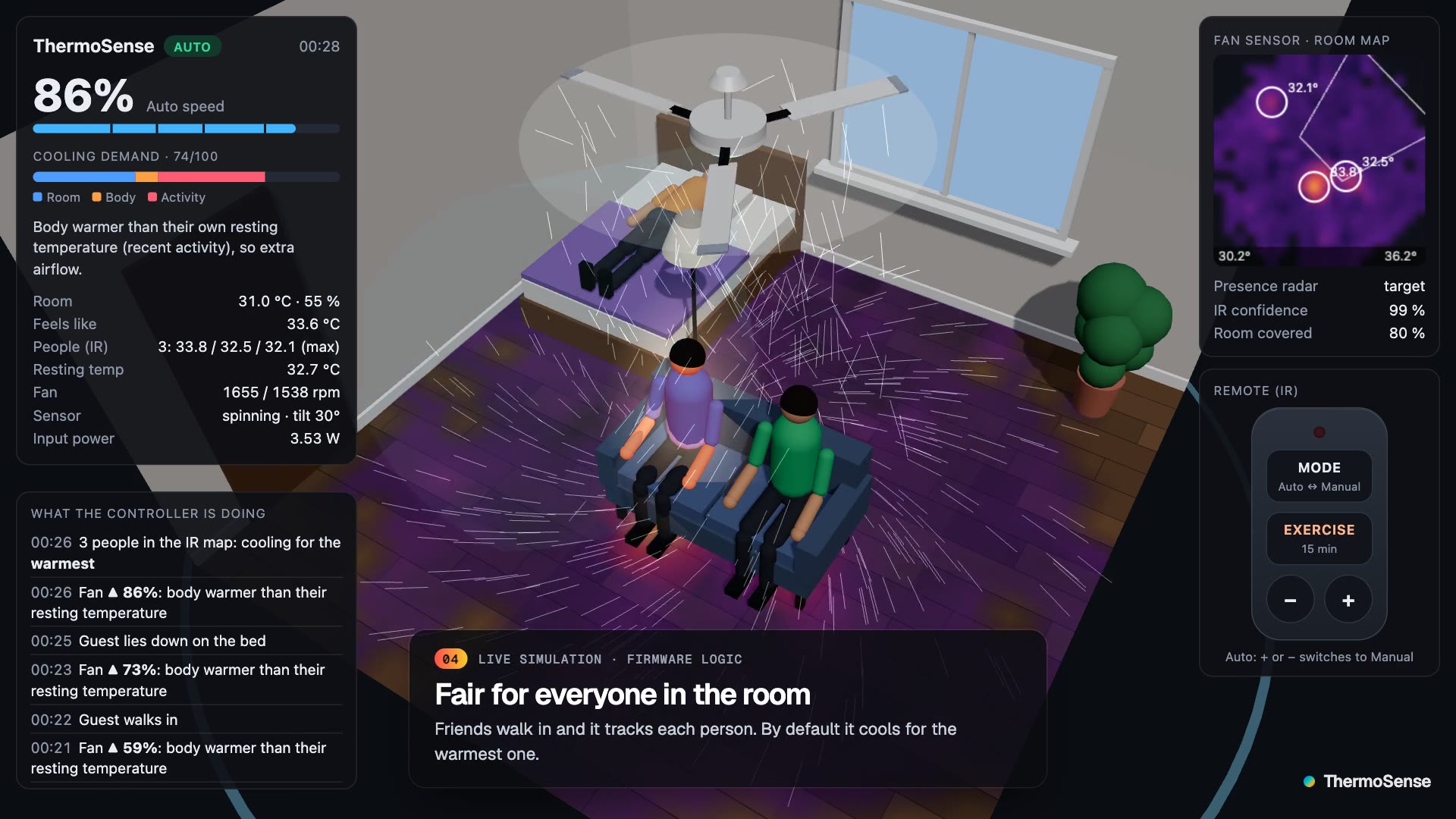
The same control code that will run on the ESP32, compiled to WebAssembly and running in your browser. Walk people in, heat the room, press the remote, jam the rotor, and watch the fan decide.
How it works
Sense. Decide. Act. Ten times a second.
01 · Sense
Sees heat, not just temperature
An AMG8833 thermal camera inside the fan, an LD2410C presence radar and an SHT31 temperature and humidity sensor.
02 · Decide
Knows what normal is for you
The ESP32 learns each person’s resting skin temperature, so a warm body after a run gets more air than a warm room alone.
03 · Act
Holds the speed it chose
A PWM BLDC motor with a tachometer loop keeps the rpm steady. Current and stall checks stop it the moment something is wrong.
Hardware
Every part modelled, fit-checked and printable.
The enclosures are written as code in CadQuery and exported as STEP files that open in SOLIDWORKS and CATIA.
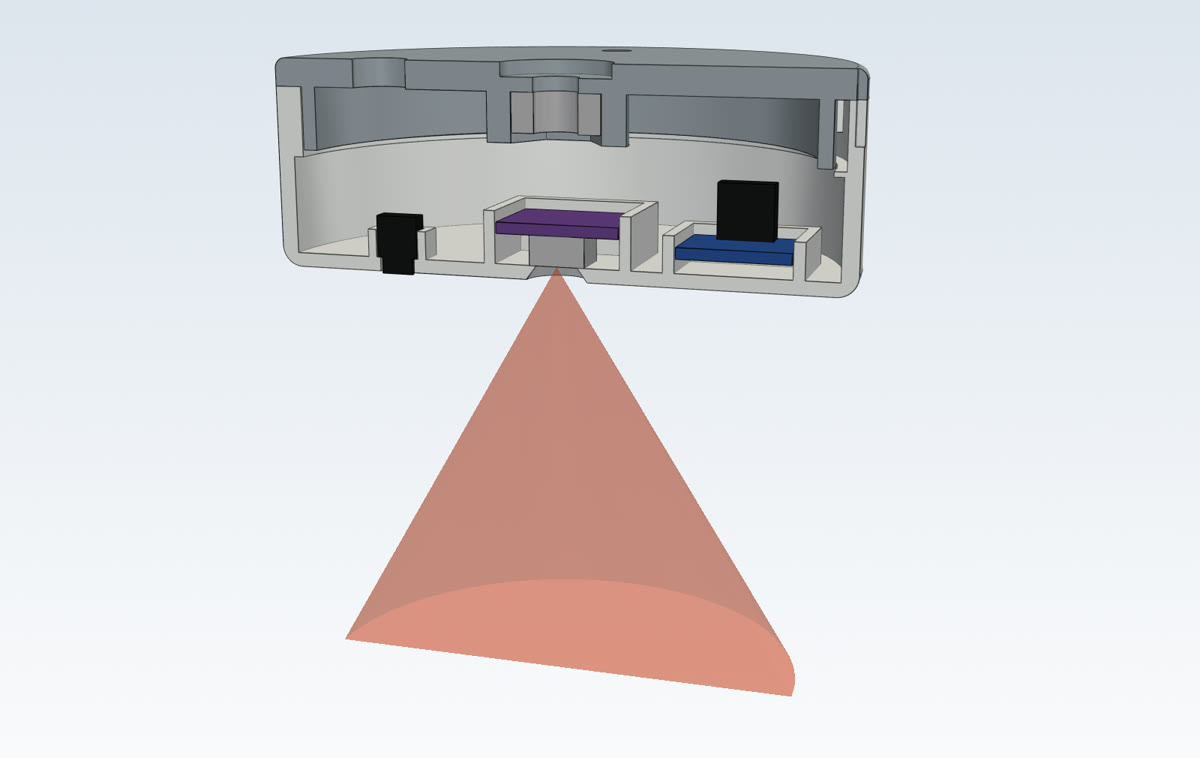
Sensor pod
Cut-away with the camera’s 60° field of view, radar behind plastic.
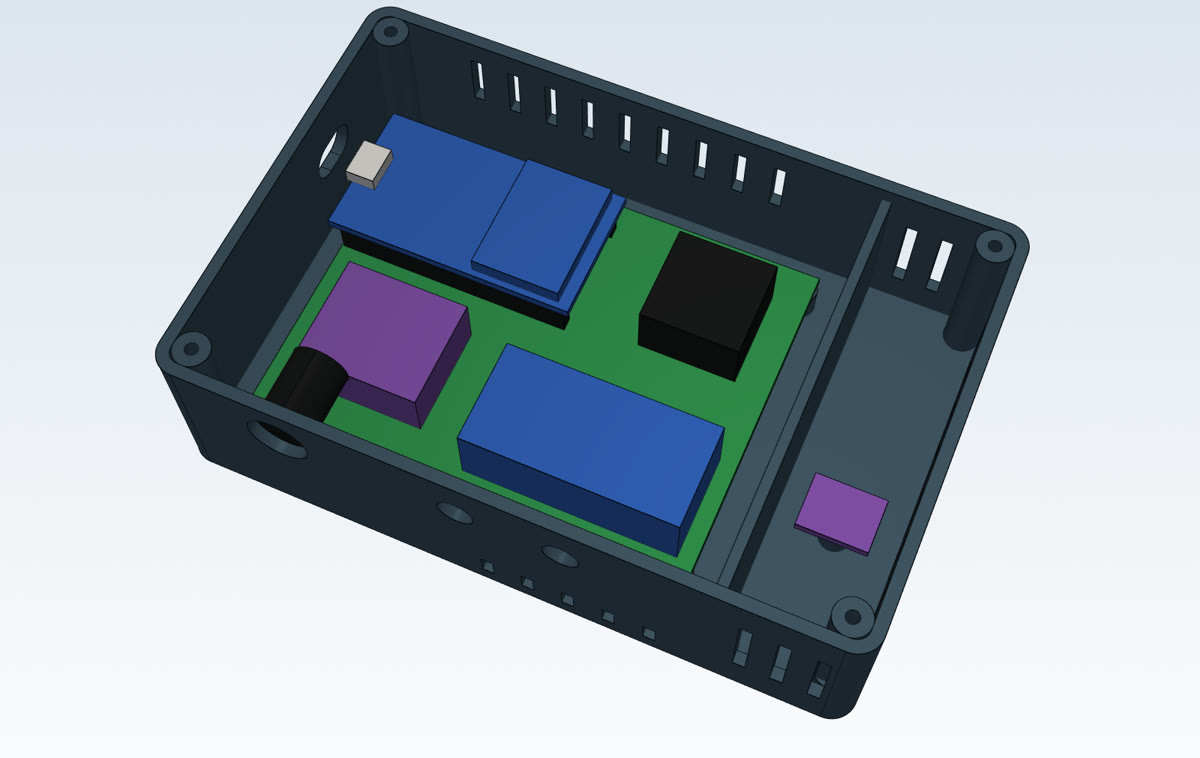
Controller
ESP32, power and current sensing, with a walled-off air chamber.
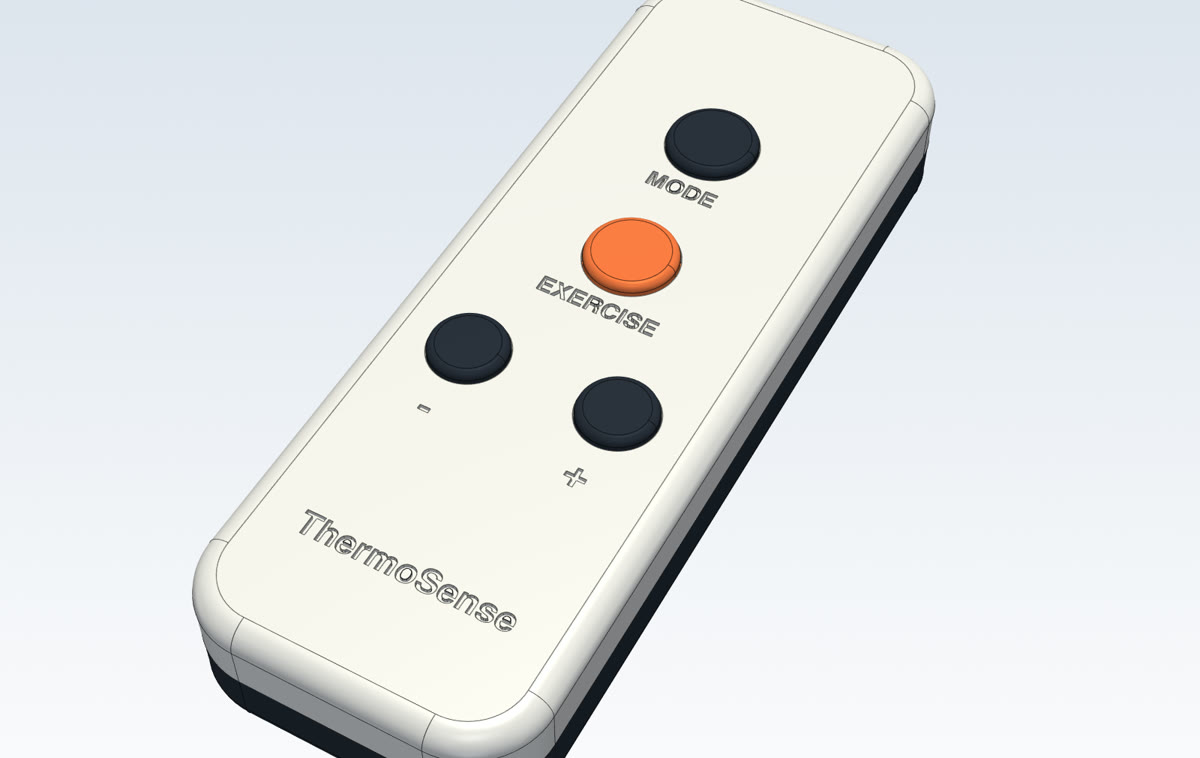
Remote
Four keys, IR LED and a coin cell. Print the EXERCISE key in orange.